Working with the range YOU want
January 5, 2011 Leave a comment
As business leaders, we are always looking at and analyzing data. Some of the most common activities involve looking at a range of data or values and calculating the total or average. Examples might include wanting to know the total sales for a specific store in 2009. Or the average sales in the last quarter. Or perhaps we want to know the best selling day (or the worst, for that matter) for a specific store, within a specific date range.
To answer questions like this, most of us use Microsoft Excel to create a fixed table. We then add a fixed formula into a cell to calculate one of the pieces of information (average or max value, for example) we are looking for. The problem with this approach is that you often want to change the range you are looking at. When I’m looking at data, for example, and trying to identify trends and make realistic forecasts, I often find it a better predictor to look at the most recent months versus, say, the last twelve. You’ll hear me say this time and time again- that I like to take the approach of making things quick and simpler in the long run. This often takes more time initially, in the short run- to think about, to set up, to develop the appropriate “tool”.
In addressing a situation like this, I’d take the approach of developing a tool that allowed as much flexibility as possible.
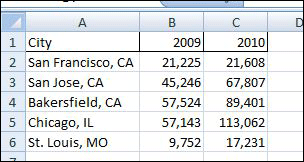
If you look at the attached spreadsheet (Excel 2007 or Earlier Versions), you’ll see a lot of stuff going on. Please do not be alarmed. It’s really not that difficult. Below, I’ve provided a few notes, in case you have trouble navigating. Also, feel free to comment if you have questions. Read more of this post
 BobbyBluford.com